

blstr has really come to life over the last couple of months. We launched a new website, gave the app a new look to match it, moved to a new database, and shipped a long list of tools for the counter and the back room. Here’s what’s new.
Card scanner
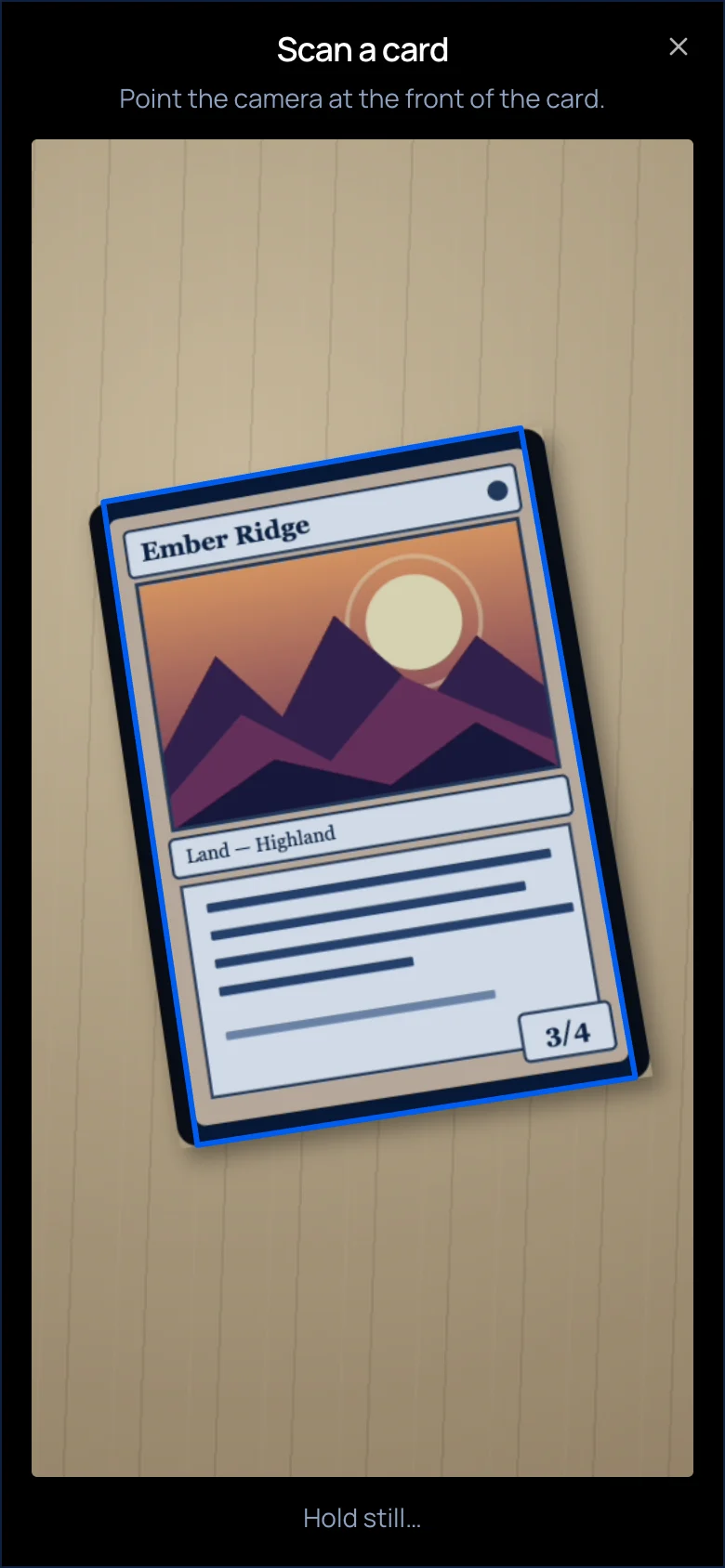
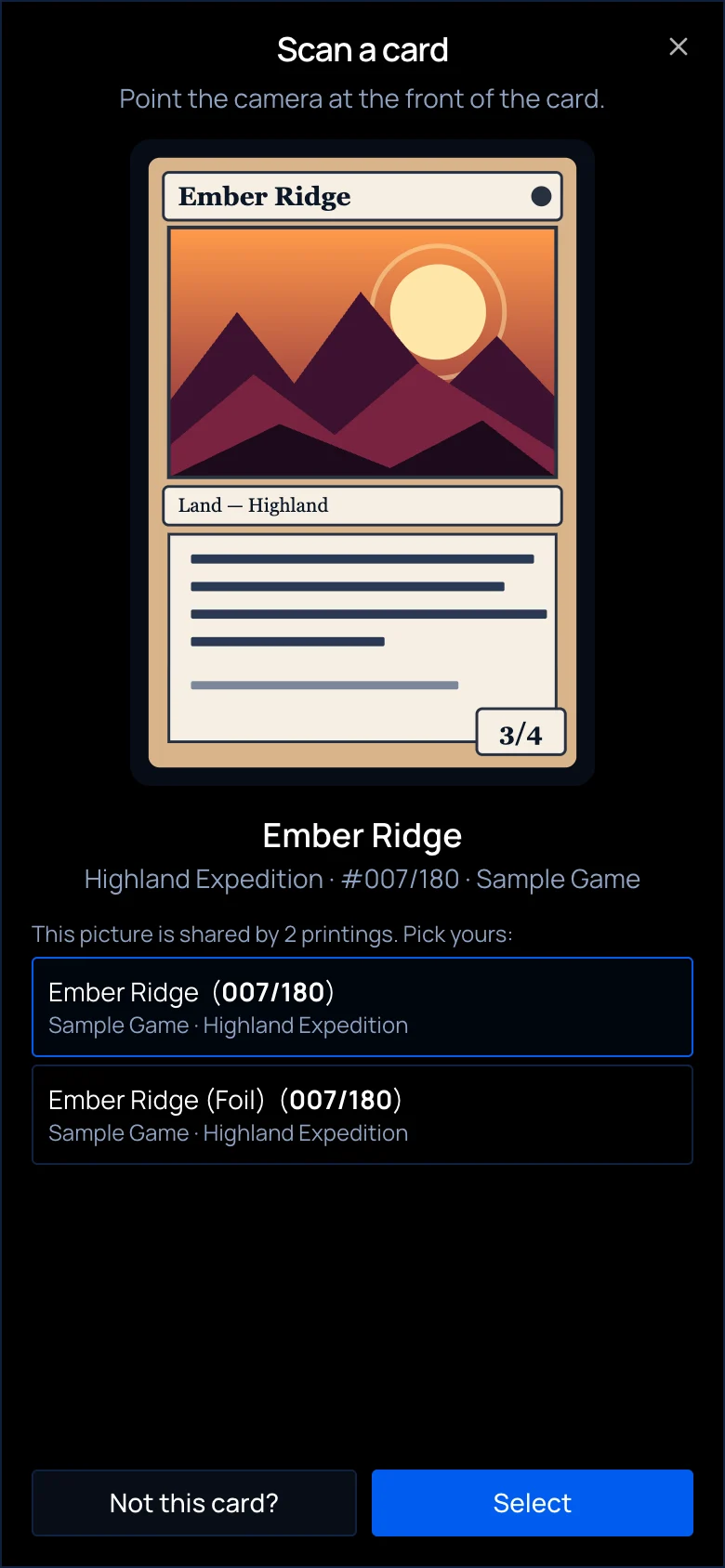
This is the big one. You can now find a card by pointing your camera at it.
Tap the scan icon in any card search and hold the card up. There’s no frame to line up, because blstr finds the card anywhere in the camera view. When there’s one clear match, you go straight to that card. When it isn’t as clear, you pick from the matches.
That means less typing card names with one hand while the other holds the card.
A new database
We moved all of blstr’s app data to a new database, Postgres. You didn’t have to do anything, but it’s the biggest change we’ve made under the hood, and it’s about two things: faster pages and a steadier app.
Early numbers from real stores look good. On a phone, the main content of a page now shows up in about 1.7 seconds instead of 4.8.
| Page load, ms (p75) | Before | After | Change |
|---|---|---|---|
| Phone: server starts sending | 3,981 | 1,128 | -72% |
| Phone: main content appears | 4,824 | 1,708 | -65% |
| Desktop: server starts sending | 2,783 | 948 | -66% |
| Desktop: main content appears | 2,953 | 1,932 | -35% |
p75 means three out of four page loads were at least this fast.
These are first readings, so take them that way. “Before” covers 14 days on the old database, while “after” is only 8 samples per row from 3 stores. The same early data shows most individual server calls running slower than they did before, even as pages load faster overall, so we’ll keep watching both as more data comes in.
Refer a store
Know a store that should be on blstr? Now you can send them our way and earn credit toward your own bill.
Share your link or QR code from the new Refer a Store page. When the store you referred pays for its first month, what they paid becomes credit toward a free month for you, up to one month per referred store.
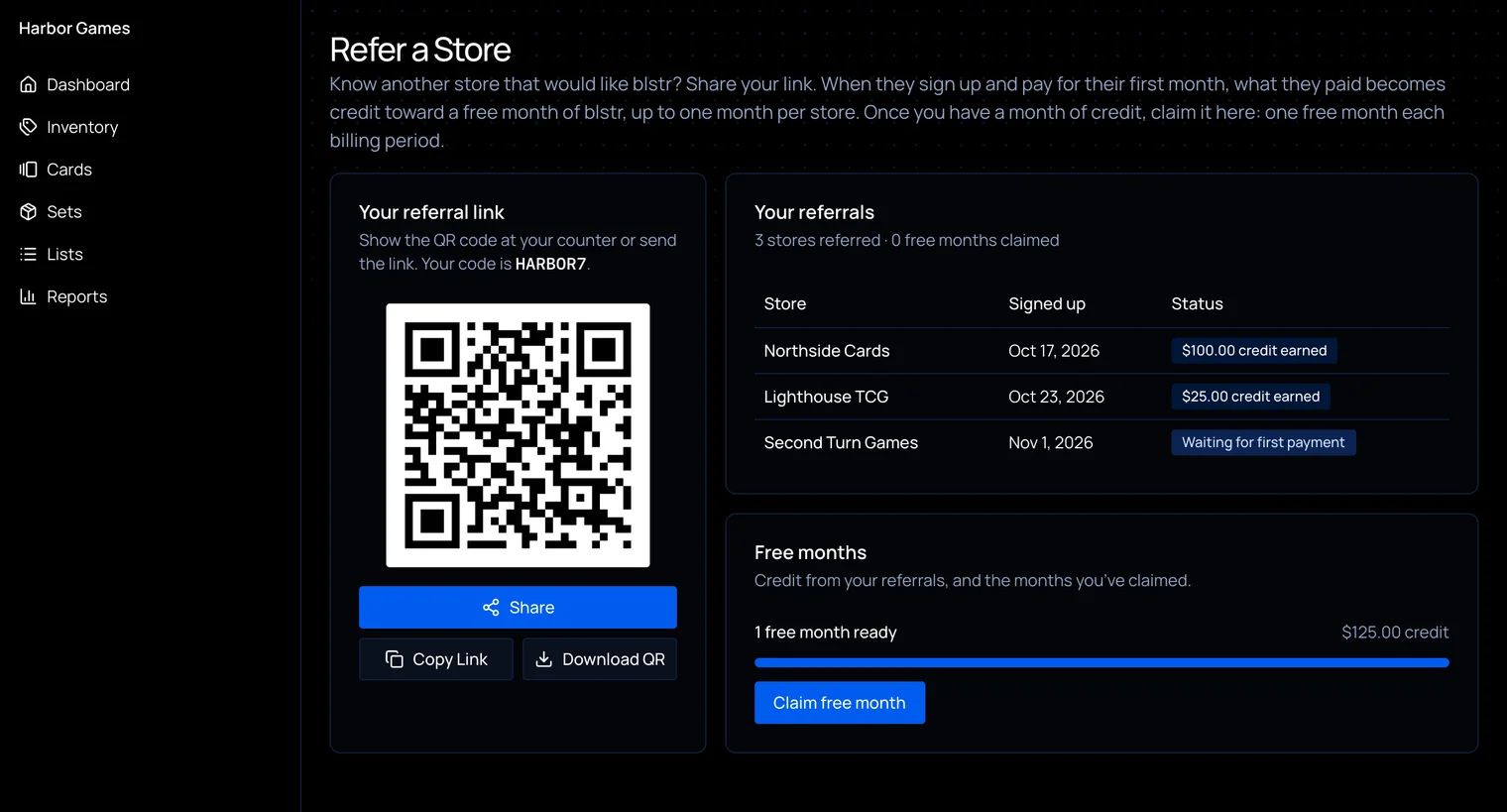
- Claiming it. Once you’ve built up a month of credit, you can claim a free month. You can claim one per billing period, whether you pay us directly or through Shopify.
- Your website counts too. Add the “Powered by blstr” badge to your site, and referrals that come through it count.
- They’ll know it was you. Referred stores see who sent them during setup, and they can enter a code if they didn’t use your link.
A fresh look
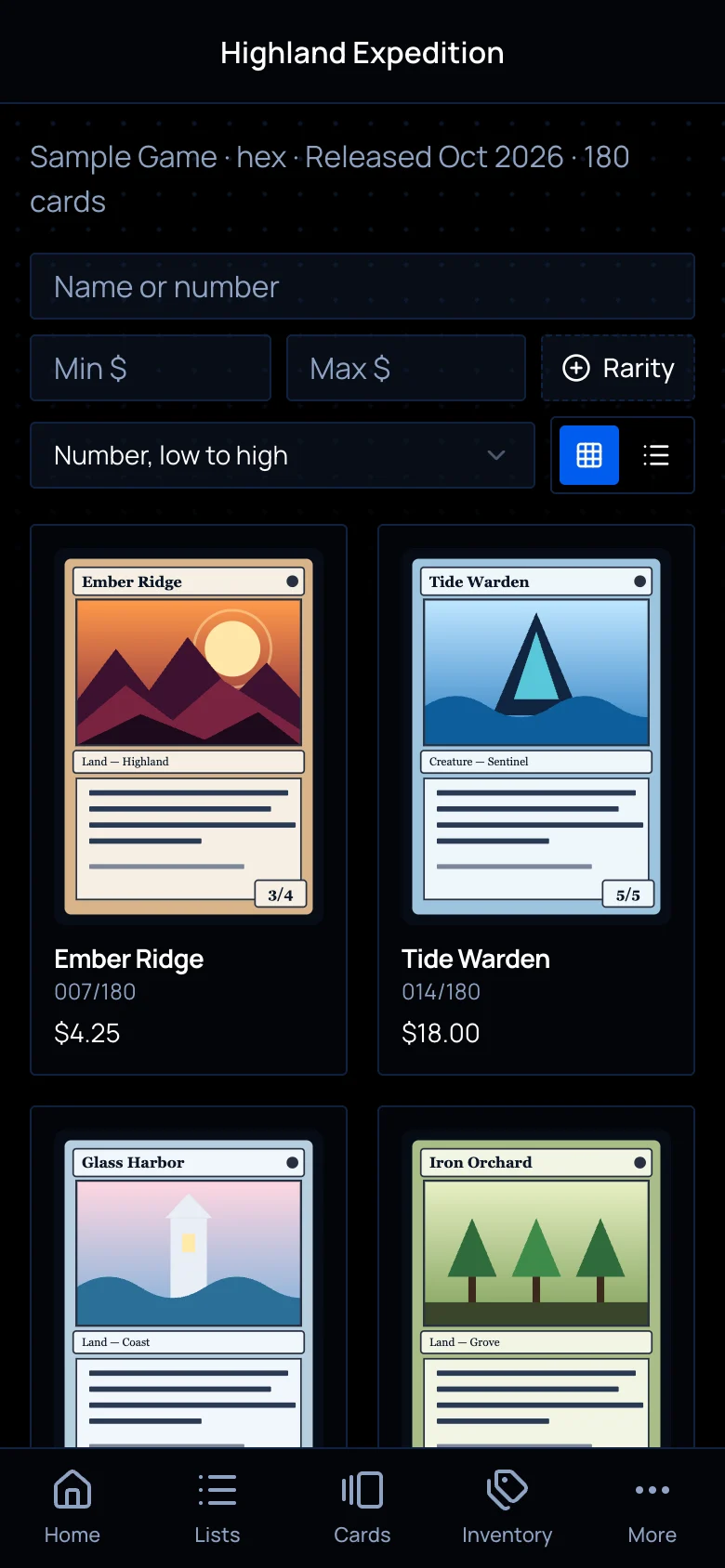
We launched our new website, then brought the app along with it. blstr now has a sharper dark theme, a new font, and cleaner page headings. Sign up and onboarding match too, so the whole thing finally feels like one product.
On your phone, there’s now a tab bar at the bottom of every screen with Home, Lists, Cards, Inventory, and More, so you can move between sections in one tap.
Everything else
The four above got the headlines, but a lot more shipped alongside them.
Finding cards
- Search anything. Press ⌘K (Ctrl+K on Windows) or tap the search button to find cards, lists, orders, and pages from anywhere.
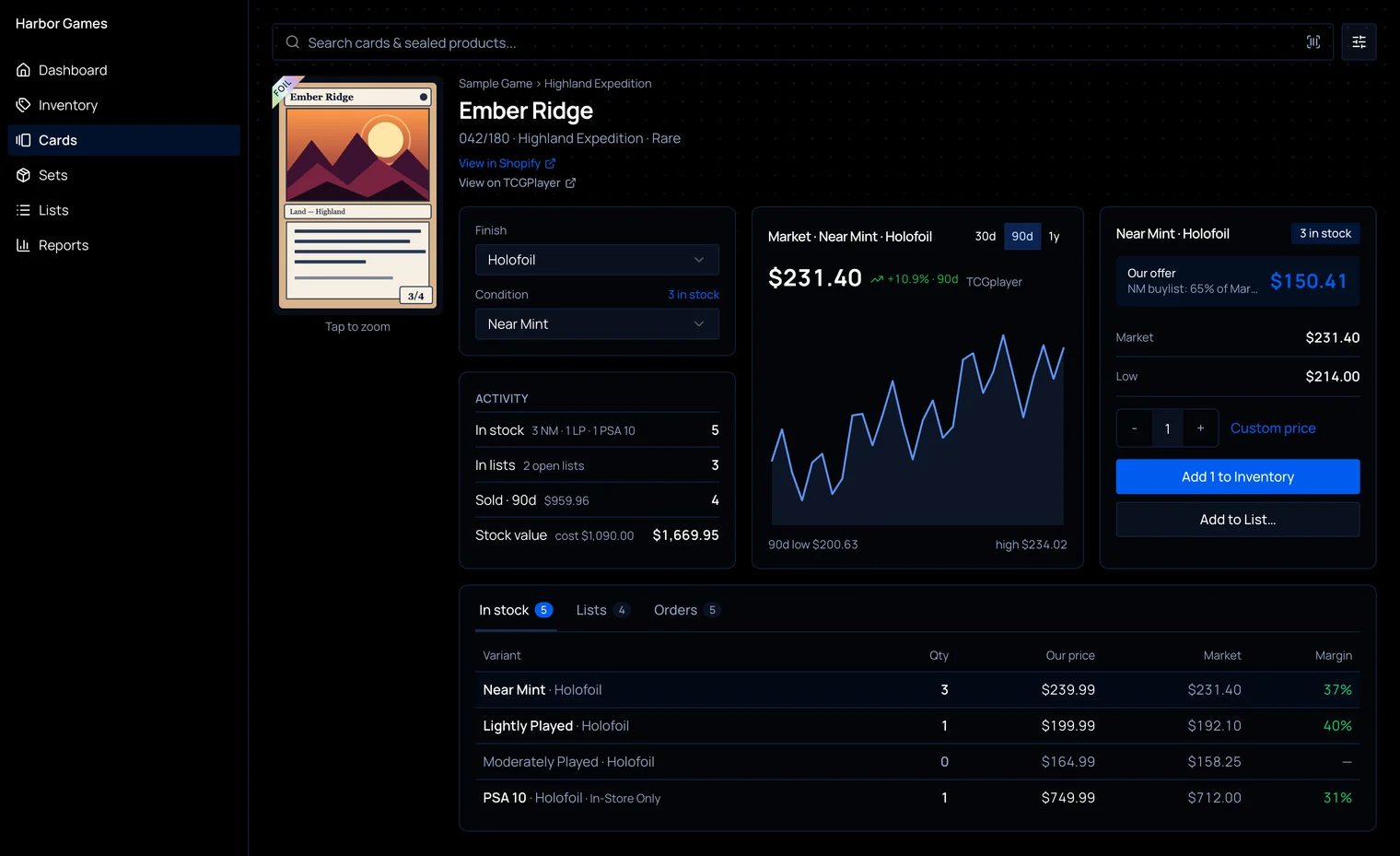
- Card pages. Every card has a linkable page with your stock, the lists it’s in, and recent POS sales.
- Price history. Card pages chart the TCGplayer market price over 30 days, 90 days, or a year, for the finish and condition you’ve selected.
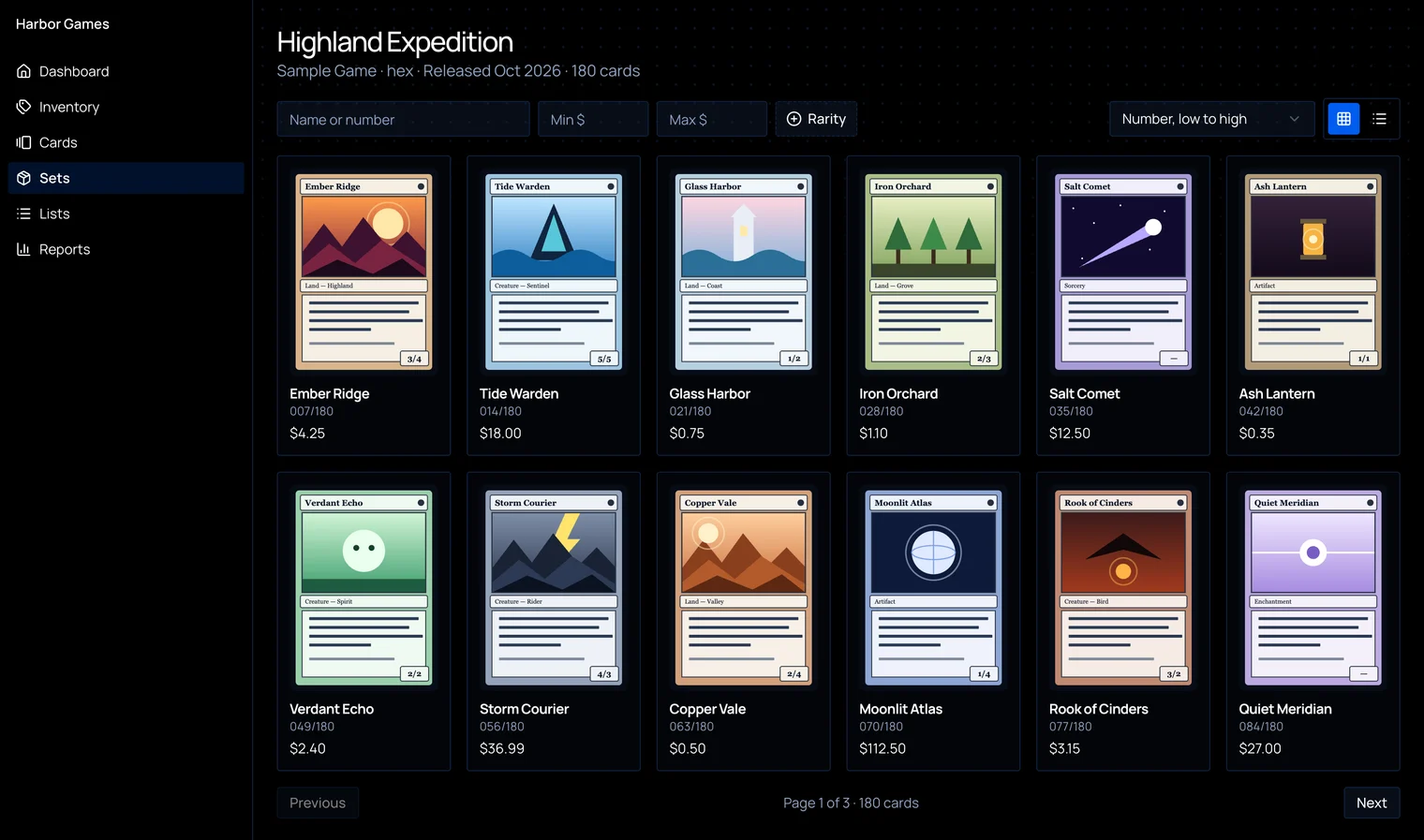
- Set pages. Filter sets by game and open any set to see all its cards. Search, filter by price or rarity, and sort, in a list or grid on desktop and phone.
Inventory and lists
- Bulk edits. Change quantities and prices right in the inventory table and save them all at once, or set checked items to 0 in one step.
- Better costs. Adding a card straight to inventory records your offer as its cost and a custom price as its sell price.
- Clearer errors. Lists now explain why a card can’t be added.
- Roca Sifter imports. Import a list from a Roca Sifter “Matched to Catalog” export.
Shopify and pricing
- Price updates on demand. Store admins can push prices to Shopify right away from pricing settings. The nightly update still covers every listed card, and stores using Card Kingdom prices get same-day updates.
- In-Store Only. POS Only has a new name and a new choice: set products to Unlisted in Shopify, or add an “in-store-only” tag so they stay findable on your site while your theme stops them being bought online.
- Your edits stay put. The nightly price update no longer changes product status or unit cost in Shopify.
- A record of changes. See who changed pricing and store settings, with before and after values, linked at the bottom of Store Configuration.
Sealed and labels
- Sealed weights. Set your own shipping weight, and it updates in Shopify.
- Sealed UPCs. Add a missing UPC, and it goes onto your Shopify listings and labels. Scanning the box finds the product.
- Smarter QR labels. Labels print the sell price and the print date, and scanning one opens the product with the exact condition and printing already selected.
- A little shine. The foil ribbon is holographic now.
What’s next
We ship quickly, and we post every update in our Discord as soon as it goes out. If something’s still missing, tell us.