

Scan the card, print the label, and get it on the shelf
Typing card names with one hand while the other holds the card gets old fast. With blstr, you hold the card up to your camera and blstr finds it, right in your browser. Your rules set the price, the card goes into inventory, and you print a label with a barcode to scan at checkout and a QR code that opens the card’s page on your site.
One record for every card, from the buy to the sale. Scanning and labels are included in blstr Core, so there’s no extra app or add-on to pay for.
Unplugged Games, Appalachian Games and Galactic Games run on blstr.
Find a card without typing its name
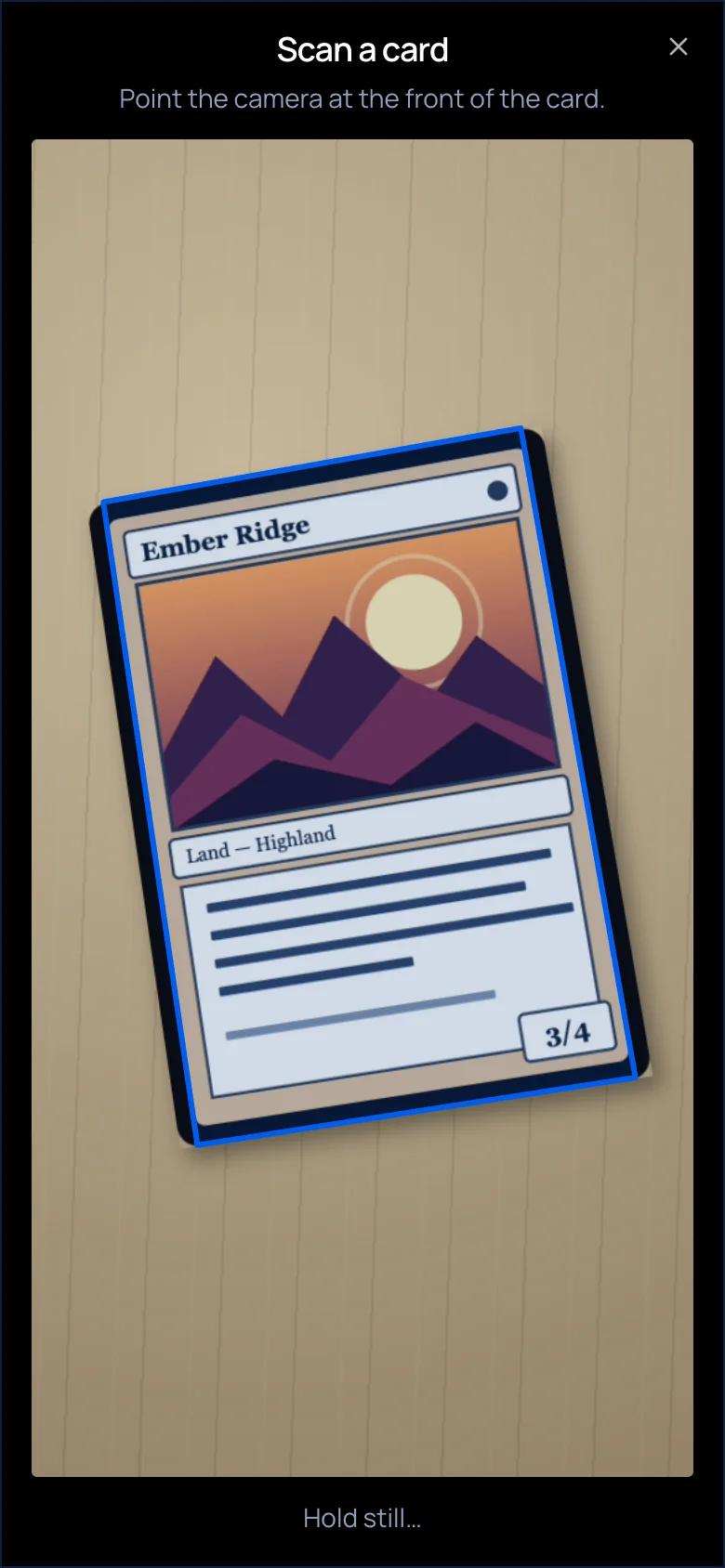
Tap the scan icon in any card search in blstr and hold the card up. There’s no frame to line up, because blstr finds the card anywhere in the camera view. It runs in your browser, so there’s nothing to install, and it recognizes every game blstr supports.
One clear match? You’re there.
When there’s one clear match, blstr takes you straight to that card. When it isn’t as clear, you pick from the matches.
Same art, different printing
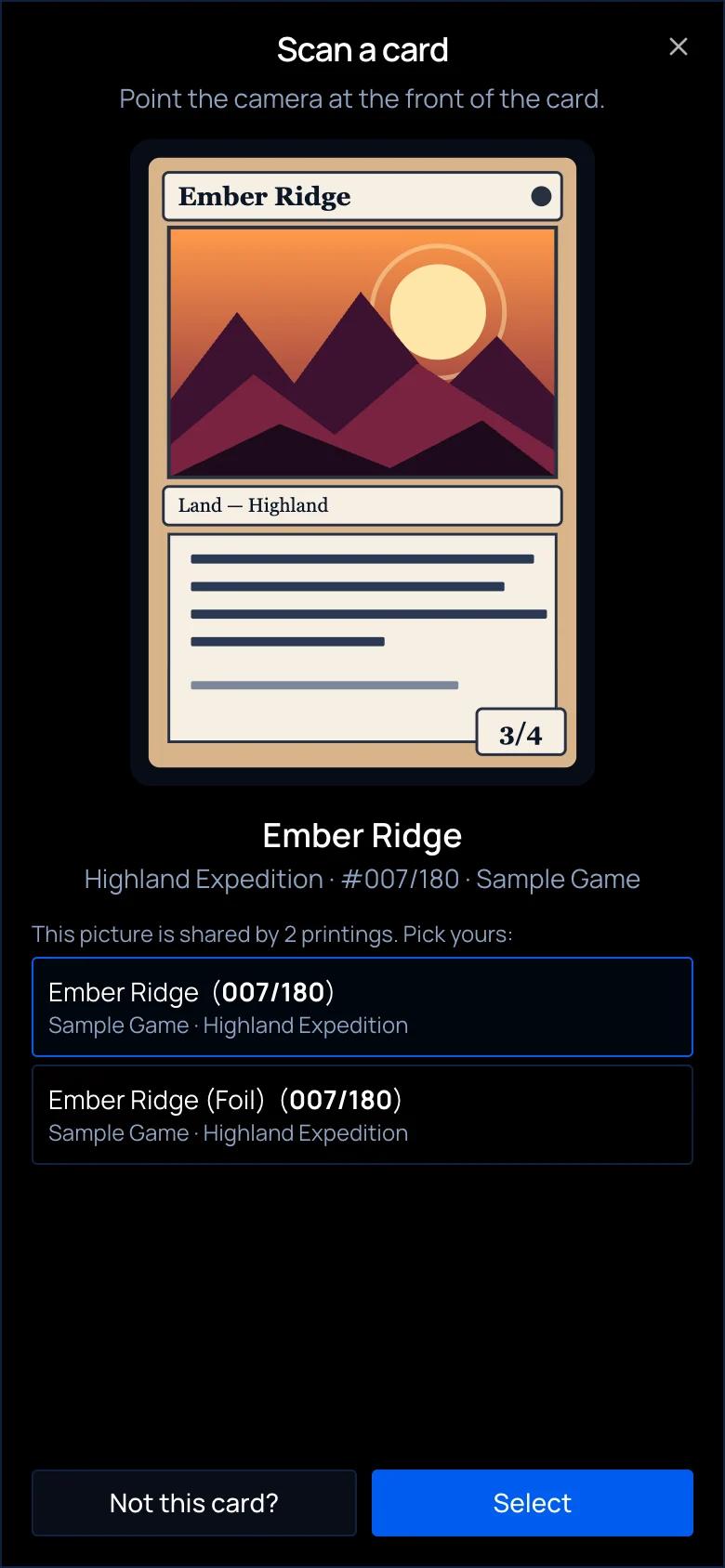
Some cards share a picture across printings. When that happens, blstr asks which printing you have, so the right version goes into inventory.
Sealed product, too
Add a missing UPC to a sealed product and scanning the box finds it. The UPC also goes onto your Shopify listings and your labels.
Labels that do two jobs
A label gets read by two people: your customer, and whoever rings up the sale. blstr labels are built for both.
A barcode for checkout. Scan it in blstr’s own checkout or with Shopify POS, and the sale comes out of the right line of inventory. Barcode labels show the card name, SKU and condition next to the barcode.
A QR code to the card online. Scanning the QR code opens the card’s page on your site with the exact condition and printing already selected. If you don’t use Shopify, it opens the product in blstr.
The price and the date. QR labels print the sell price and the print date, so you can tell at a glance how fresh a price is.
Print from your inventory, not the other way around
Handwritten prices drift. Someone updates the system but not the sticker, or the sticker but not the system. When the label comes out of the card’s record in blstr, there’s one price to keep right, and the label is just the latest copy of it.
One card, a whole buy, or everything
Print a label for a single card, for an entire list such as a whole buy, or for your entire inventory. Labels print on the most common label sizes, like 1x3.
From the buy to the sale
- 01
Scan it. Hold the card up to your camera, or search by name.
- 02
Price it with your rules. Your buy rules set what you pay, by game, card condition, card value and quantity. Your sell rules set what you charge. Set your own buy rules.
- 03
Add it to inventory. When you add a card straight to inventory, your offer is recorded as its cost.
- 04
Print the label. One card or the whole buy at once. Barcode for checkout, QR code to the card’s page.
- 05
Sell it anywhere. Scan it in blstr’s checkout in your shop or at your show table, or sell it online through Shopify. Quantities stay in sync. Keep inventory and Shopify in sync.
Prices that keep up after the label is printed
blstr checks TCGplayer and Card Kingdom market data every day, so you’re not looking cards up one at a time. Every card in blstr has its own page with your stock, the lists it’s in, recent sales, and a TCGplayer market price chart over 30 days, 90 days or a year. When prices move, reprint one card’s label, a whole list, or your entire inventory.
Handwritten stickers vs. blstr labels
| Topic | Handwritten sticker | blstr label |
|---|---|---|
| Finding the card | Type or look up the name | Hold the card up to your camera, or search by name |
| What’s on it | Whatever fits | Barcode labels: barcode, card name, SKU and condition. QR labels: sell price and print date |
| Price on the tag | Whatever was written that day | The sell price from the card’s record, plus the print date (QR labels) |
| Ringing it up | Read the sticker and key it in | Scan the barcode in blstr’s checkout or with Shopify POS |
| Finding it online | Not possible | QR code opens the card’s page with condition and printing selected (or the product in blstr without Shopify) |
| Keeping prices current | Rewrite the sticker | Daily market sync; reprint one card, a whole list or everything |
| Inventory count | Updated by hand, if at all | The sale comes out of the card’s line in inventory |
Bringing in cards you already have
You don’t have to scan your whole case on day one. blstr imports inventory from Collectr, from blstr’s own export, from a generic CSV, and from a Roca Sifter "Matched to Catalog" export. Scan new buys as they come in and print labels as cards hit the shelf.
Pricing
- blstr Core: $25 a month, flat, no commission. Scanning and labels are included. 14-day free trial.
- Shopify connection: $75 a month on top of Core, billed through Shopify when connected. No commission. $100 a month total.
A few things
to know.
How does the blstr card scanner work?
Tap the scan icon in any card search and hold the card up to your camera. It runs in your browser, and there’s no frame to line up, because blstr finds the card anywhere in view. When there’s one clear match you go straight to it, and when there isn’t, you pick from the matches.
Do I need to install an app?
No. The scanner runs in your browser.
What if two printings share the same art?
blstr asks which printing you have, so the right one goes into inventory.
What’s on a blstr label?
Barcode labels show the barcode, card name, SKU and condition. QR labels print a QR code that opens the card’s page, plus the sell price and the print date.
Can I print labels for a whole buy or my whole inventory?
Yes. Print a label for a single card, for an entire list such as a whole buy, or for your entire inventory. That’s also how you reprint after prices change.
What label sizes does blstr print?
blstr prints on the most common label sizes, like 1x3.
What happens when someone scans the QR code?
It opens the product on your site with the exact condition and printing already selected. If you don’t use Shopify, it opens the product in blstr.
Do I need Shopify to scan labels at checkout?
No. Barcodes scan in blstr’s own checkout. If you use Shopify POS, blstr generates barcodes for it too.
Can I label sealed product?
Yes. Add a missing UPC and it goes onto your Shopify listings and your labels, and scanning the box finds the product.
Can I import cards I already have?
Yes. blstr imports inventory from Collectr, from blstr’s own export, from a generic CSV, and from a Roca Sifter "Matched to Catalog" export.
Which games does the scanner recognize?
Every game blstr supports: Pokémon, Magic: The Gathering, Disney Lorcana, Yu-Gi-Oh!, Riftbound, One Piece, Gundam, Union Arena, Star Wars Unlimited and Digimon.
Are scanning and labels included in blstr Core?
Yes. blstr Core is a flat $25 a month with no commission, and scanning and labels are part of it. The optional Shopify connection is $75 a month more, billed through Shopify. Try Core free for 14 days.
Stop rewriting price stickers.
Start blstr Core free for 14 days. Scan a few cards, set your rules and print your first labels this afternoon.
Start free trial